Jians Publish
Jians Publish helps TikTok creators manage their own accounts and publish their own video content through TikTok's official Content Posting API.
Continue with TikTok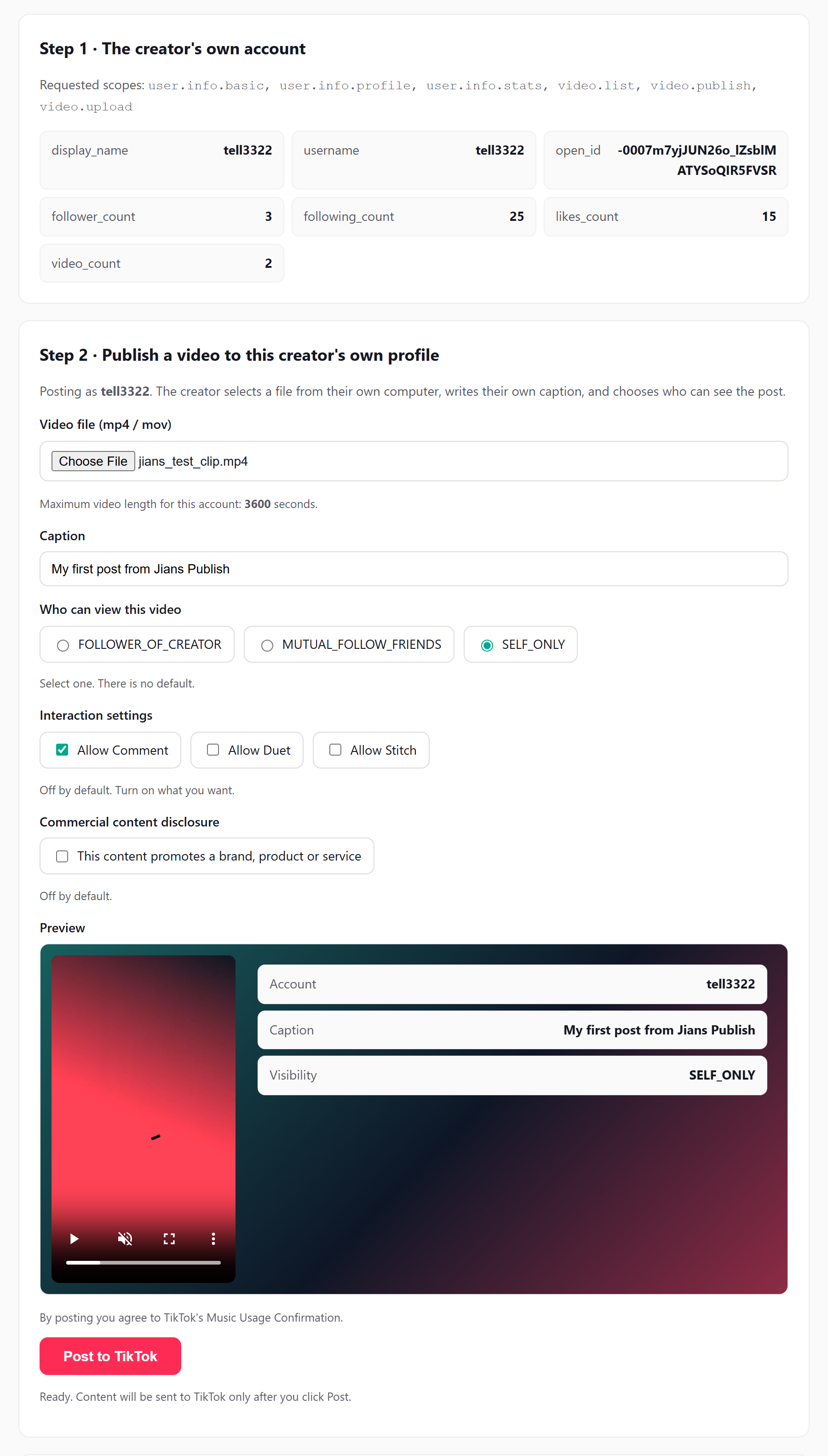
Everything is built on TikTok's official open APIs.
Link your own TikTok account securely with Login Kit. We never see your password.
Upload a video file and post it directly to your profile, or save it as a draft to finish inside the TikTok app.
Follower, following, likes and video counts for the accounts you connected.
See your own published videos and their status in one place, so you always know what went out and whether TikTok finished processing it.
Every post you send records its status, so you always know what went out.
Access works only through TikTok-issued tokens and can be revoked anytime in your TikTok settings.
Four steps, no password sharing.
Click the button above. You are taken to TikTok's own authorization page.
Review the permissions we ask for and tap Continue. TikTok returns you to
publish.jians.xyz/tiktok/callback.
We read your public profile and stats so the dashboard can show your account.
Pick a video file, choose a privacy level, and either post it directly or upload it as a draft for editing in the TikTok app.
Only what the feature needs.
| Scope | Why we need it |
|---|---|
user.info.basic |
Read your open id, avatar and display name so we can list your account. |
user.info.profile |
Read bio text, profile links and verification status for your account card. |
user.info.stats |
Read follower, following, likes and video counts for the statistics view. |
video.list |
Read the list of your own public videos to show your publishing history. |
video.publish |
Post a video you submitted directly to your own TikTok profile. |
video.upload |
Upload a video you submitted as a draft so you can finish it in the TikTok app. |
